Free Lightroom Develop Presets
As a courtesy to all Lightroom 3 users, we are releasing some radical Lightroom develop presets totally free! We hope these help you to unleash your creative potential. Package contains 11 different develop presets in varying from low fidelity B&W to very colorful crossprocess effects.
Download LRPAD Free presets
To install, unzip the package and move the folder to Lightroom’s develop preset folder (right click on LR Develep Presets to find it, or navigate to folder manually).
On Windows, directory is: <userdir>/AppData/Roaming/Adobe/Lightroom/Develop Presets
On Mac, directory is: <userdir>/Library/Application Support/Adobe/Lightroom/Develop Presets
These preset have quite strong adjustments. If you feel like you would want tune them down a bit, you can try Lightroom preset fading plugin:
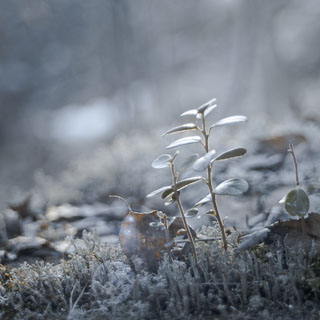
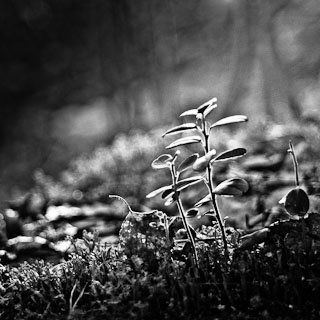
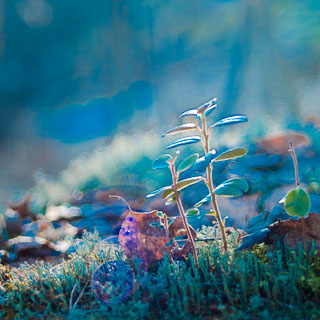
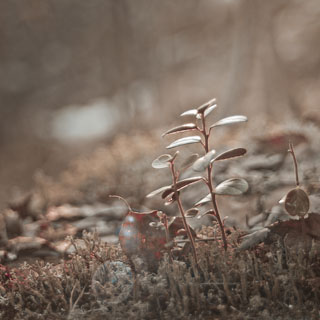
Sample pictures follow, first one is the original and then 11 different presets applied:








Beautiful presets!!
2011/05/05 at 07:02
Looks nice.
2011/05/07 at 00:22
I am always looking for interesting presets. These presets will certainly be a part of my favorites.
2011/05/08 at 21:13
I just want to try.
bye
2011/05/11 at 13:04
sorry i cant seem to get it to work.
2011/06/14 at 19:24
Perhaps this link helps you!
http://www.profiphotos.com/blog/en/2008/10/video-how-to-install-presets-in-lightroom-2/
2011/06/14 at 20:30
very useful, thank you for sharing : )
2011/06/21 at 22:35
Thanks for these you guys, I’m looking forward to trying them out. I’m digging Lightroom too, having just gotten into it! Cheers.
p.s. just a small thing but the text for the folder location has the \ marks backwards. It should look like this on pc, i dunno what the mac syntax is:
C:\Users\USERNAME\AppData\Roaming\Adobe\Lightroom\Develop Presets
2011/06/22 at 02:30
I have windows vista…. doesn’t let me upzip the file…. what can I do?
2011/11/14 at 05:25
If you get an error message, the file is probably corrupted and you can try re-downloading it.
Vista built-in zip handling is clumsy, but it does it job. It does not have the typical right-click extract button, but you just double click the file and press “Extract all” button in the toolbar to unzip.
2011/11/16 at 06:24
use winzip :P worked for me
or just try double clicking sometimes zipped files are just in a compressed folder and can be accessed without an unziping program
2012/04/02 at 14:18
Beautiful presets!
2011/12/30 at 05:48
Very interesting presets. I am always looking for something different to make my Photography Club shared pictures unique
Many Thanks
2012/05/03 at 18:02
thats so cool – thanks !
2012/08/23 at 15:52
Pingback: Lightroom Presets: Link List to Free Downloads
Looking forward to try these…
2012/09/17 at 21:21
Pingback: Complete List of Free Lightroom 3 and 4 Presets for Photographers — The F/Stop Spot